
Manually tackling projects and need to clean up, edit, and convert your scanned legacy drawings into a CAD environment? GTX offers the solutions and support that meet your needs!
GTXRaster CAD® - Revolutionize how you work with raster drawings
Transform your old scanned or paper-based drawings into fully useful, editable CAD drawings.
Available as a standalone solution or integrated with AutoCAD®, BricsCAD® and ZWCAD®.



















Imaging - Revive Legacy Drawings with Ease
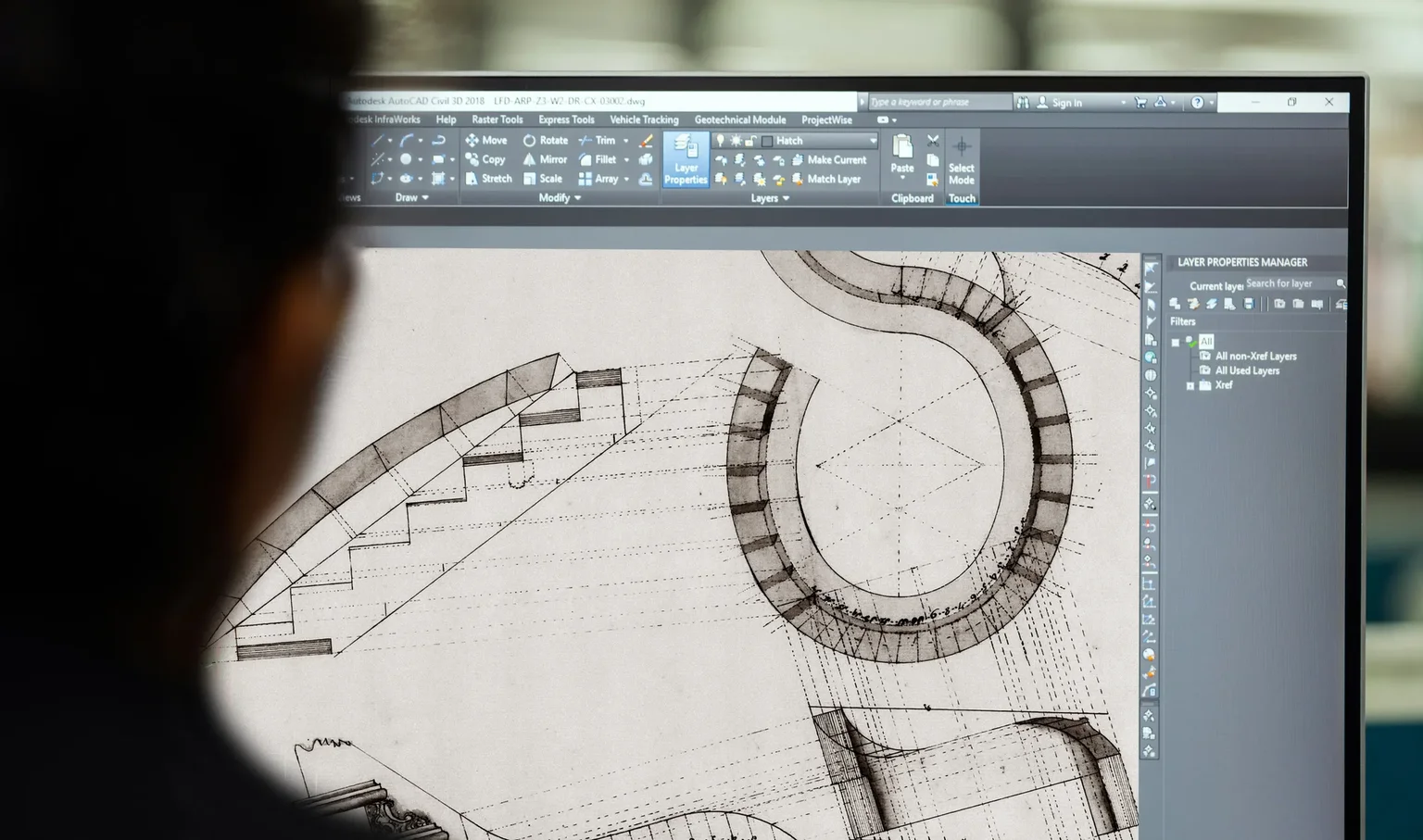
Struggling to maintain your old paper archive? Do you need to be able to revise and modify your scanned drawings without time consuming tracing and redrawing? In this digital era, these designs are still relevant, but their physical format limits usability. GTXRaster CAD solves this problem. With GTXRaster CAD you can scan, edit, and automatically convert raster drawings into true vectorized CAD files (DWG/DXF format).
Image Cleanup and Enhance
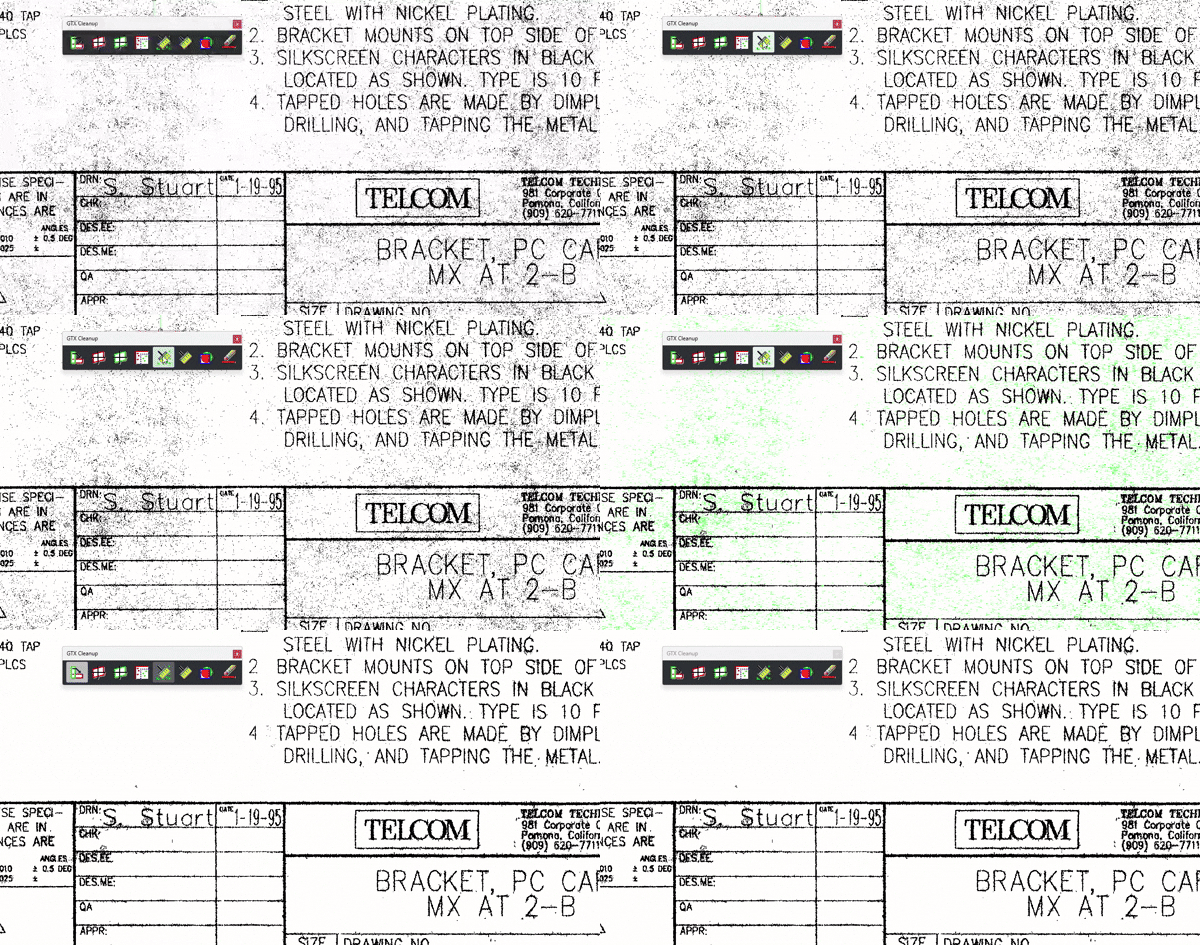
Easily improve your legacy raster drawings with smart tools like automatic and semi-automatic cleanup, deskew and despeckle.
Raster Editing
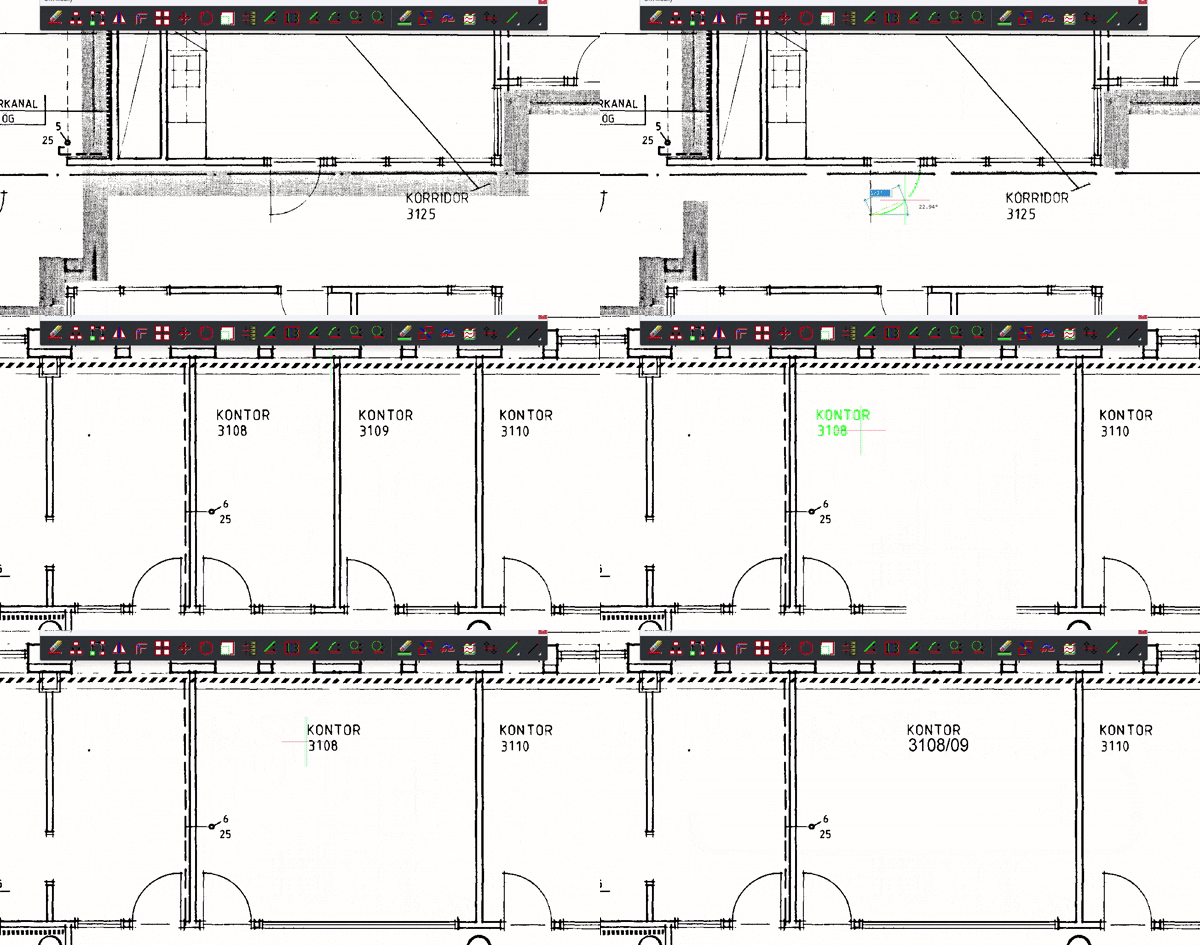
With the built in IOP (Intelligent Object Picking) methods you can select specific raster entities like lines, arcs, and circles to manipulate, allowing intuitive modifications such as movement, transformation, duplication, or deletion. Merge raster and vector objects effortlessly.
Image Cleanup and Enhance
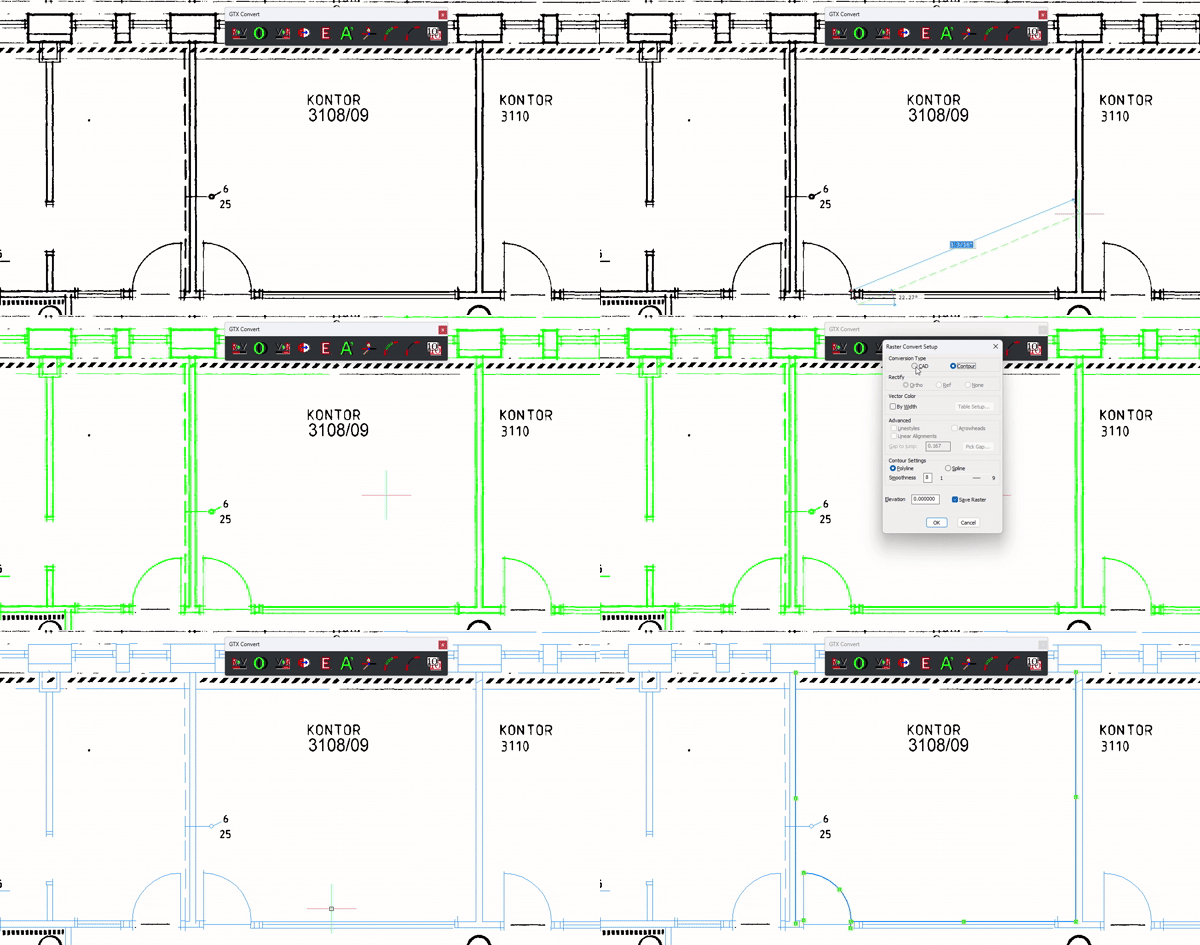
Need fully vectorized drawings? With the raster to vector conversion function you can convert raster geometry to CAD entities along with text recognition. Your old drawing becomes a valuable digital asset.
Enhance - Instantly Clean Up Scanned Drawings
Auto Clean
GTXRaster® CAD automatically eliminates artifacts, specks, and smudges, producing clearer, professional-quality images.
Deskew
Corrects scan misalignment, ensuring perfectly aligned horizontal and vertical lines.
Color Reduction
Reduce color or grayscale images from millions of colors down to 256, 4, or pure black-and-white, optimizing clarity and efficiency.
Ideal for:
- Digitizing paper archives
- Enhancing previously scanned drawings
- Improving image clarity before doing edits
GTXRaster CAD® is the ideal solution for digitizing existing paper drawings or refining scans for seamless editing and sharing.
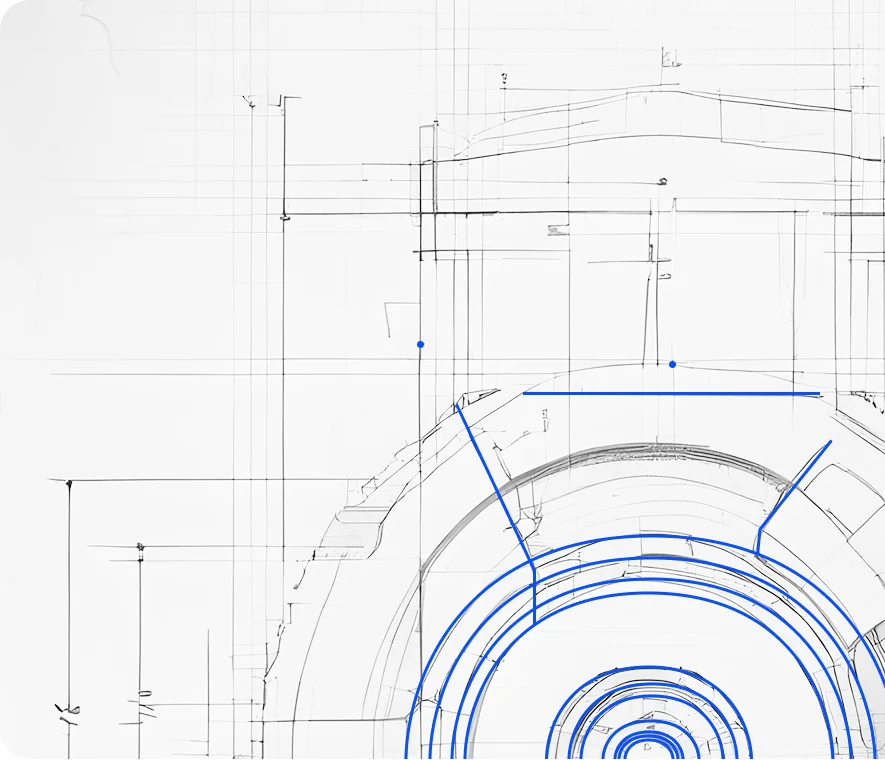
Edit - Modify raster data with precision

Raster-to-text Conversion
The advanced OCR function in GTXRaster CAD® transforms raster text into editable CAD text - even for angled labels, eliminating the need for manual corrections.

Intelligent Object Picking
Select raster elements like lines, arcs, and circles as if they were vector objects. Easily move, rotate, erase, or duplicate raster components with an intuitive workflow.

Hybrid Drawings
Overlay raster images with vector CAD tools, retaining most of the original content while selectively editing or enhancing key areas.
Vectorize - Convert raster drawings into CAD
Transform paper drawings into true DWG/DXF vector files with GTXRaster CAD®.
The software automatically detects and separates raster objects, enabling streamlined cleanup and editing.
Multifunction Editing - No Hassle
Once vectorized, modify your drawings just like any other CAD file using standard vector editing tools.
Any questions?
The major difference between GTXRaster CAD and GTXImage CAD is that GTXImage CAD works as a standalone solution, while GTXRaster CAD used together with AutoCAD®, BricsCAD® or ZWCAD®.
If your work environment is primarily an AutoCAD® design environment, using a full version of the AutoCAD®, BricsCAD® or ZWCAD® product, then the best GTX solution series for you is the GTXRaster CAD® Series. If your work environment uses other CAD design solutions, i.e., MicroStation, Pro/Engineer, etc., then the best solution for you is the GTXImage CAD™ Series.